Write a unit test
Goal
Add a new Burger Option for Bacon Cheeseburger, which will cost $8.
Clone Meal Kiosk repository
From your Git command line, clone the repository:
C:\training> git clone https://github.com/spiral-learning/mealkiosk-starter
Import into IntelliJ
-
Open the
pom.xmlfile by doing the following:- If you see the Welcome screen, choose
Open(not Import)
Otherwise...
- From the
Filemenu, choose theOpen...item and find thepom.xml(don't use Import) in the project directory that you cloned above.
- If you see the Welcome screen, choose
-
IDEA will then ask you how to open this file. Since we want it to be a new project, click
Open as Project.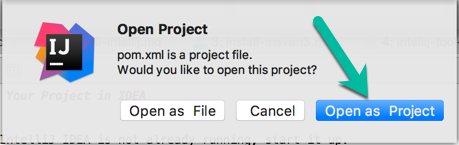
-
The project will load and IDEA will do some indexing, which may take a few minutes.
Run all tests
Once the project is loaded, find the test directory in the Project Window, right-click on the package name (com.welltestedlearning.mealkiosk) and select Run Tests in...
If any tests fail, have the instructor help you.
Write new test
You're going to add a new Burger Option for Bacon Cheeseburger, which will cost $8.
-
Write a new unit test in the
BurgerTestclassa. Create a new method with the
@Testannotationb. ?? What will you name the test ??
c. Write the assertion first, where you want the
burger.price()to be 8.d. Add a new option to the
BurgerOptionenum and call itBACONCHEESEBURGERe. Use the new option to instantiate a new Burger instance
f. Run the test -- it should fail
-
Write the code in
Burgerthat will make the test pass
Once you've completed the above steps, check in with the instructor to review your code.